


iNode MQTT Monitor is an application that runs in the Google Chrome browser. It lets you test communication between a device and an MQTT or HTTP/POST server and watch live data from iNode sensors.
Features
- see the devices sending data to the MQTT server and their live readings,
- supports USB BT and LPWAN adapters as well as Web Bluetooth,
- remote control of devices, e.g. the relay output of iNode MCU Relay,
- on Android: connect to and configure iNode BT 5.1 sensors.
Getting started
The application runs in Google Chrome on Android, Windows, Linux and other systems – no installation needed. Once opened, it can be installed as an app (icon on the home screen) so you can launch it later with one click.
After start-up it shows the devices sending data to the iot.inode.pl MQTT server – a free test server for users of iNode products.
Screenshots
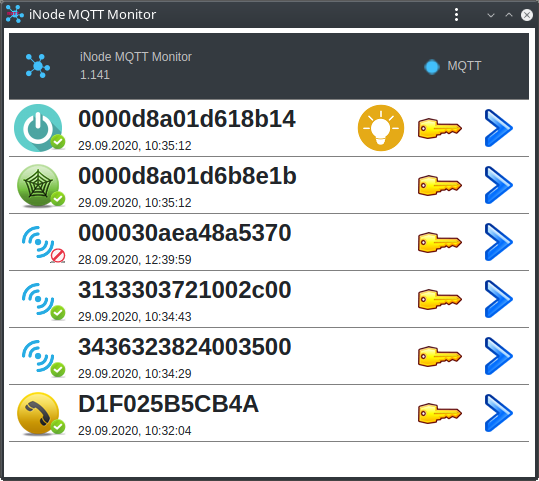
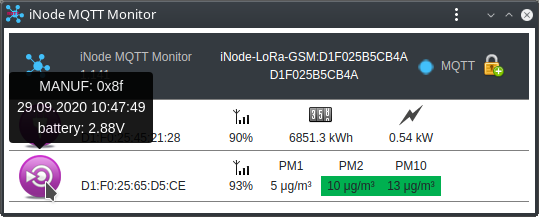
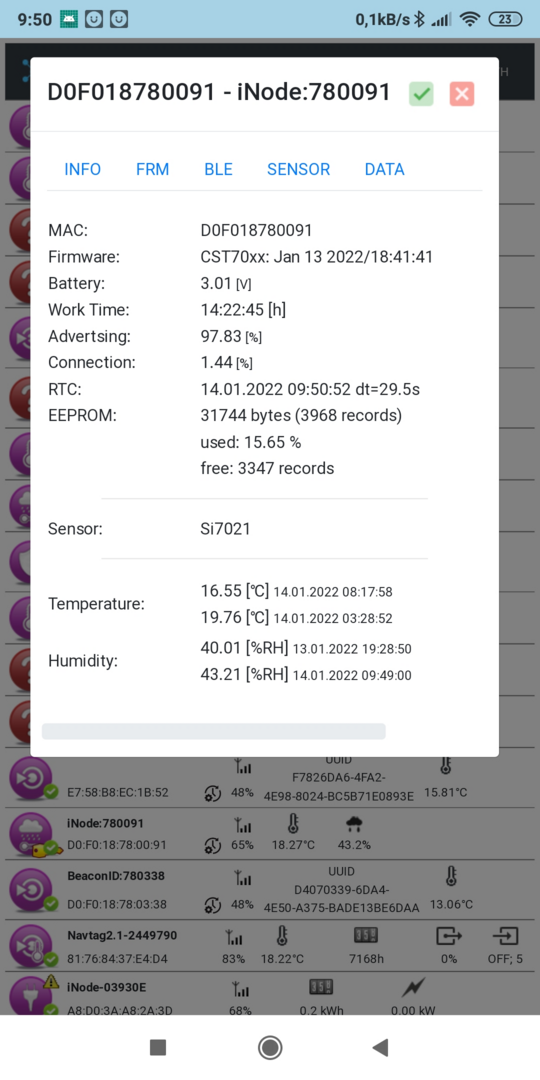
The iot.inode.pl test server is provided free of charge, with no guarantee of future availability or unchanged terms of use. Data sent to this server can be received by other users – an MQTT server without a username and password is public by nature. Data should therefore be encrypted: this is the default in iNode LAN Central, iNode MCU Relay and iNode GSM MQTT LPWAN, and the encryption password is different and randomly generated in every device. Data is not archived on the server. iNode.pl is not responsible for the content of transmitted data and does not interfere with it.